How to Check Canada Visa Approval - A-Z Detailed Guide
After submitting your application for a Canada visa, checking the visa approval results is something that most people are concerned about and waiting for. Understanding how to check Canada visa approval will help you proactively monitor the process and prepare for the next steps in a timely manner. See specifics below.
Overview of checking Canada visa results
Regularly checking your Canada visa approval helps you:
Know the current status of your application
Receive notifications when additional documents are needed
Prepare travel or study plans
Avoid missing important information from the consulate
While waiting for the results, you can check the status of your Canada visa at any time after submitting your application. The system will update regularly and notify you of any important changes.
How to check Canada visa approval will help you proactively monitor the process
Methods to check Canada visa approval
Method 1: Check through the official website of Canada
Step 1: Access the official website
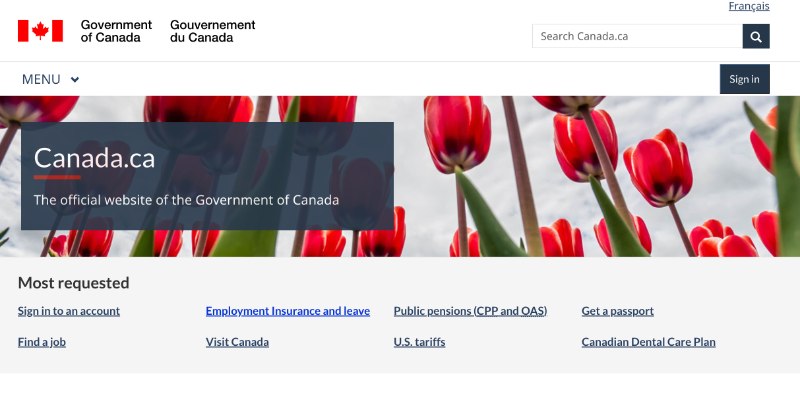
Visit the official website of the Government of Canada at: https://www.canada.ca/en.html. This is the most authoritative and reliable source of information.
Step 2: Select the application status check option
Select "Check your application status" to check the status of your Canada visa application online. The interface will display different options depending on the type of visa you have applied for.
Step 3: Choose the type of visa
Select "Visitor Visa" if you are applying for a tourist visa or the corresponding type of visa. The system will redirect you to the specialized check page.
Step 4: Enter the necessary information
You need to provide:
Application Number
Full name
Date of birth
Nationality
Confirmation code (if any)
Method 2: Use the ECAS system
Access ECAS
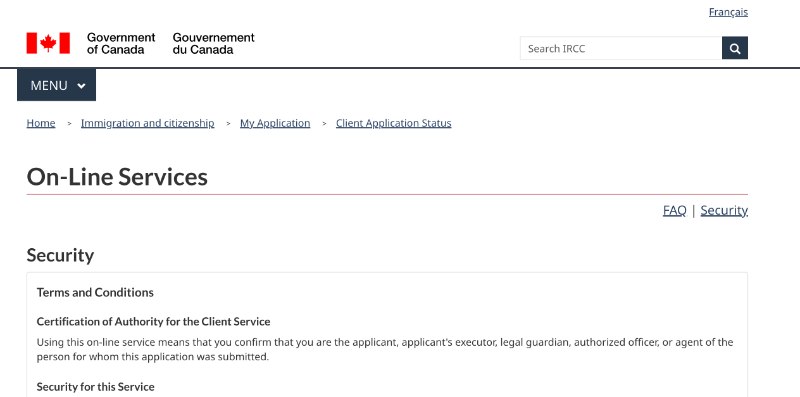
To check the results of your Canada tourist visa this way, you will access https://services3.cic.gc.ca/ecas/security.do?lang=en. This is Canada's online visa application tracking system.
How to check Canada visa approval via the ECAS system
The process of checking through ECAS
Click to agree to the terms of service and proceed
Select the appropriate language (English or French)
Enter your identification information
View the displayed results
Understand the statuses of Canada visas
Common statuses
Application Received: Your application has been received and is awaiting review. This is the first status after submitting the application.
Under Review: The application is being reviewed in detail. This stage can last from a few weeks to several months.
Decision Made: A decision has been made regarding your application. You will receive notification of the results via email or mail.
Passport Request: Request to submit your passport for visa stamping (only applicable in certain cases).
Additional Documents Required: Additional documents are needed. You will receive a specific list of the documents that need to be submitted.
Interview Required: An in-person interview is required at the consulate or visa center.
Medical Examination Required: A medical examination is required at an authorized healthcare facility.
How to understand the results of the Canada visa check
When the visa is approved
If the visa is approved, you will see:
The notification "Approved" or "Decision Made"
The effective date of the visa
The validity period of the visa
Conditions attached (if any)
When the visa is denied
In case the visa is denied:
The notification "Refused" or "Denied"
Specific reasons for denial
Instructions for appeal (if any)
Timeframe to reapply
When additional information is needed
If additional documents are required:
List of documents to submit
Deadline for additional submissions
Instructions on how to submit
Contact method
Important notes when checking
Reasonable frequency of checks
Checking 1-2 times a week is sufficient
Avoid checking too frequently
Monitor email for timely notifications
Information security
Do not share login information
Log out after use
Use a secure internet connection
Troubleshooting
When unable to access the system
Try again after a few hours
Check internet connection
Contact support center
When information is incorrect
Contact the reviewing agency immediately
Provide accurate evidence
Request for adjustment
Frequently asked questions about the Canada visa check
Why can't the visa status be checked?
It may be due to:
The system is under maintenance
Incorrect information entered
The application has not been updated in the system
Notes when checking the Canada visa
How often does the system update?
The system usually updates daily, but there may be a delay of 1-2 days depending on the situation.
Can I check someone else's status?
You can only check if:
Has official authorization
Is the legal representative
Has all necessary information
Things to do after knowing the result
When the visa is approved
Print and store the approval notice
Check the information on the visa
Prepare the travel itinerary
Purchase travel insurance
When the visa is denied
Carefully read the reason for denial
Prepare supplementary documents
Consider the possibility of appeal
Consult with experts
When additional documents are needed
Prepare documents as required
Submit on time
Keep a copy for yourself
Follow up on the new progress
The process of checking the approval of a Canada visa is an important step that helps you grasp the status of your application and make necessary preparations. With the detailed guidelines above, we hope you will be able to confidently monitor and check the results of your Canada visa effectively.
Need assistance in checking and tracking your Canada visa? NVK Travel with a team of experienced professionals will accompany you throughout the application processCanada visa, from the application submission to receiving the results.